What Is Woven Model PII Remover?
An on-device desktop tool that scans pasted text for likely PII, highlights matches for review with risk levels, lets you toggle individual detections, and produces cleaned output after confirmation. No uploads — no web server — everything runs locally.
100% Local Detection
All detection and redaction runs locally using regex and heuristic patterns. No data ever leaves your device. The "Processed Locally" badge reflects actual behavior.
Risk-Level Classification
Every detection is classified as High (SSN, credit card, bank account), Medium (email, phone, address, DOB, IP), or Low (name, account ID, ZIP) — with explanations.
Toggle-Based Review
Reject false positives before redaction. Toggle individual detections on/off — only confirmed selections are redacted. Full control over what gets cleaned.
Highlighted Preview
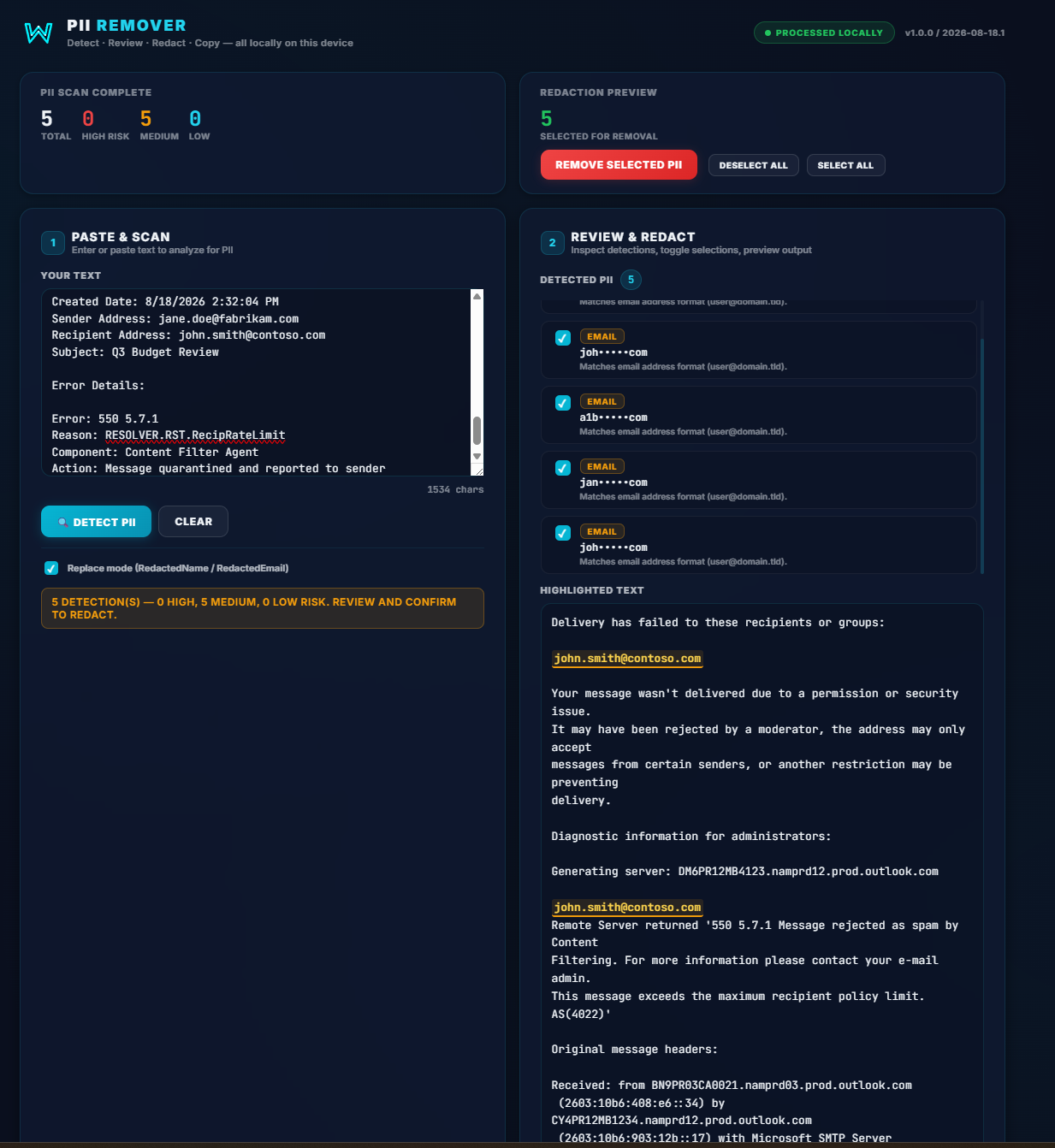
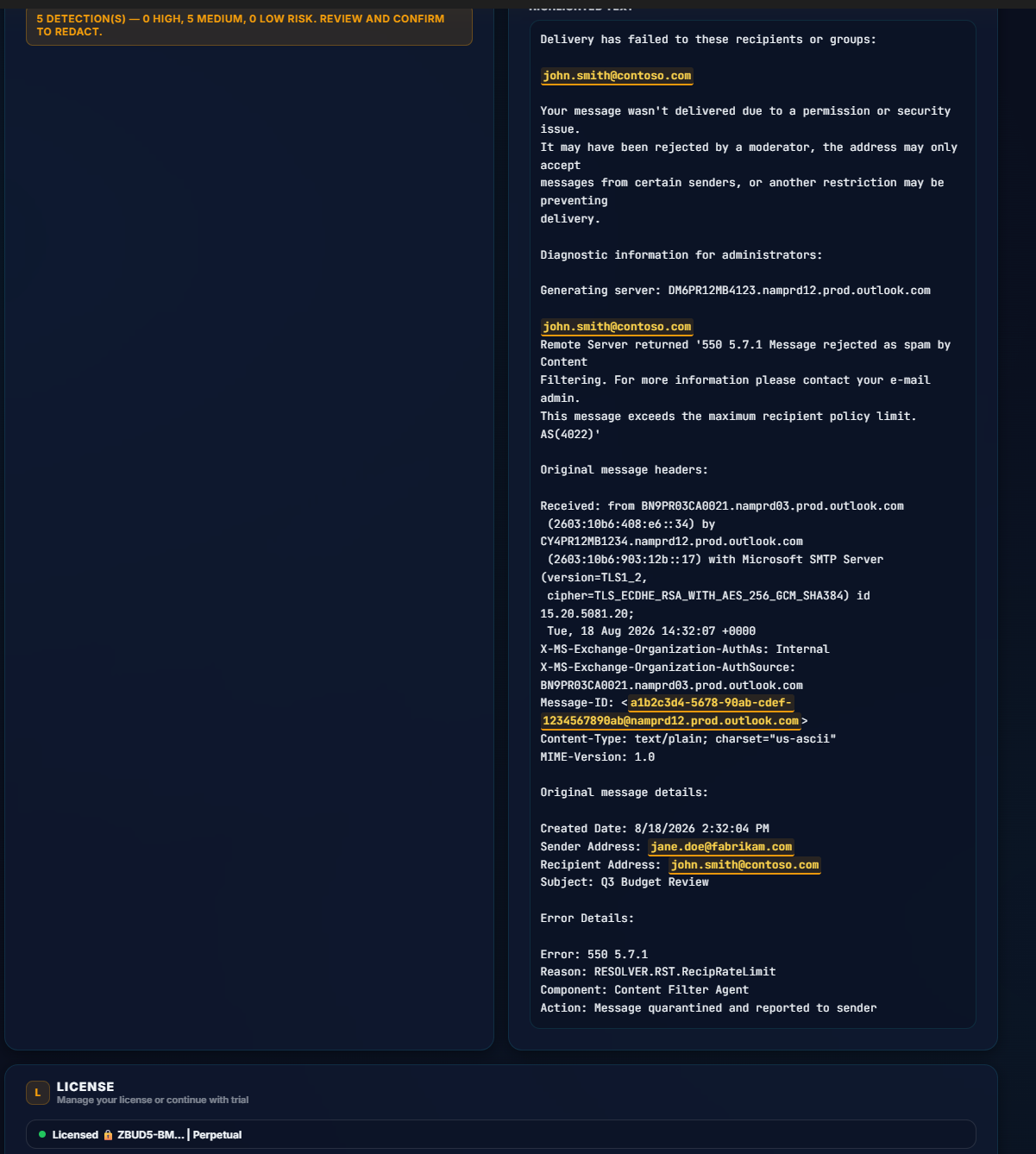
See exactly what was found with risk-colored underlines directly in the text. High = red, Medium = amber, Low = cyan. Clear visual feedback before you redact.
Original / Cleaned Comparison
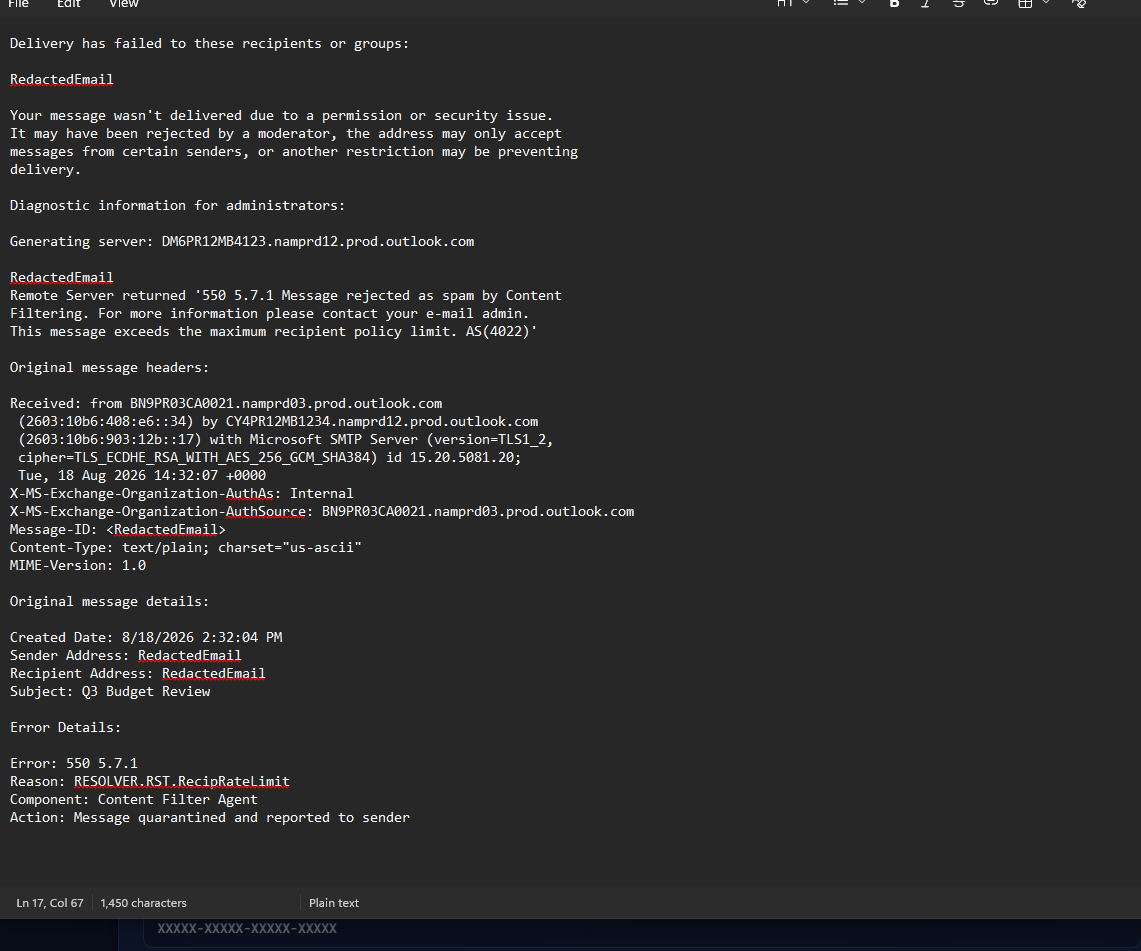
After redaction, toggle between the original and cleaned views to verify results. One-click copy the cleaned text to your clipboard.
Easy to Use
Simple paste-and-click workflow. No configuration needed. Clean, intuitive interface with clear visual feedback at every step.
The PII Remover Interface
Paste & Detect
Paste your text into the editor and click "Detect PII". The app scans locally using regex and heuristic patterns — zero cloud APIs involved.
Review with Risk Levels
Review detections in the Security Summary bar with high/medium/low counts. Each detection shows a risk badge, masked value, and explanation.
Redact & Copy
Toggle detections on/off, click "Remove Selected PII", confirm, then compare Original vs Cleaned. Copy the clean text with one click.
Every Feature, Explained
A complete breakdown of the detection engine, review workflow, and redaction pipeline.
PII Detection Engine
Purpose: Scan text locally for 11 categories of sensitive information using regex patterns and heuristic name detection.
Detection Categories
- Email Addresses — Standard email pattern matching
- US Phone Numbers — Common US phone formats
- SSNs (###-##-####) — High risk, flagged for immediate review
- Credit Cards — Luhn-validated, high risk
- Bank Account Numbers — Pattern-based, high risk
- IP Addresses (IPv4) — Medium risk
- US Street Addresses — Medium risk
- Date of Birth — Medium risk, context-aware
- ZIP / Postal Codes — Low risk
- Account / Customer IDs — Low risk, pattern-based
- Person Names — AI-enhanced heuristic detection, low risk
Review & Toggle Workflow
Purpose: Give users full control over what gets redacted. Every detection is reviewable and toggleable.
How It Works
- Security Summary Bar: Shows total detections + breakdown by risk level (High / Medium / Low)
- Detection List: Each detection shows checkbox, risk badge, masked value, and explanation
- Highlighted Text: Risk-colored underlines directly in the input text
- Select All / Deselect All: Bulk toggle controls for convenience
- Confirm Before Redact: "Remove Selected PII" requires user confirmation
- Compare View: Toggle between Original and Cleaned text after redaction
- Copy: Button or Enter key copies cleaned text to clipboard
- Clear: Resets everything for a fresh scan
Privacy & Security
Purpose: Your sensitive data never leaves your device.
What We Guarantee
- All detection runs locally — nothing is sent anywhere
- No internet connection needed for PII detection
- No cloud uploads — your text stays on your machine
- AI-enhanced detection uses local pattern matching only
- "Processed Locally" badge reflects how the app actually works
Licensing & Availability
Purpose: Easy access with flexible options for every user.
How to Get It
- Installer: Simple double-click Windows installation
- Portable: Run without installing — no admin rights needed
- Free trial included with all features unlocked
- License key activation for continued use after trial
Three Levels of Sensitivity
Every detection is classified by severity. The Security Summary bar shows counts at a glance, and each item in the detection list carries a colored risk badge.
High Risk
Direct financial identity risk. If exposed, could lead to identity theft, financial fraud, or account compromise.
- ● SSN (Social Security Number)
- ● Credit Card Number (Luhn-validated)
- ● Bank Account Number
Medium Risk
Personal contact and location data. Could be used for social engineering, phishing, or targeted attacks.
- ● Email Address
- ● US Phone Number
- ● US Street Address
- ● Date of Birth
- ● IP Address (IPv4)
Low Risk
Identifiers and contextual data. Lower direct risk but could aid reconnaissance or link data across sources.
- ● Person Name (AI-enhanced)
- ● ZIP / Postal Code
- ● Account / Customer ID
- ● Order / Case / Reference ID
Detection Method Comparison
| Capability | PII Remover (Local) | Cloud-Based Tools |
|---|---|---|
| Data leaves device | ❌ Never | ✅ Yes |
| Internet required | ❌ No | ✅ Yes |
| Latency | ⚡ Instant | ⌛ Network-dependent |
| Cost | One-time license | Per-request or subscription |
| Risk classification | ✅ 3 levels + explanations | Varies |
| Toggle / review | ✅ Per-detection | Typically all-or-nothing |
See the App in Action
Real screenshots from the running application showing the detection and redaction workflow.
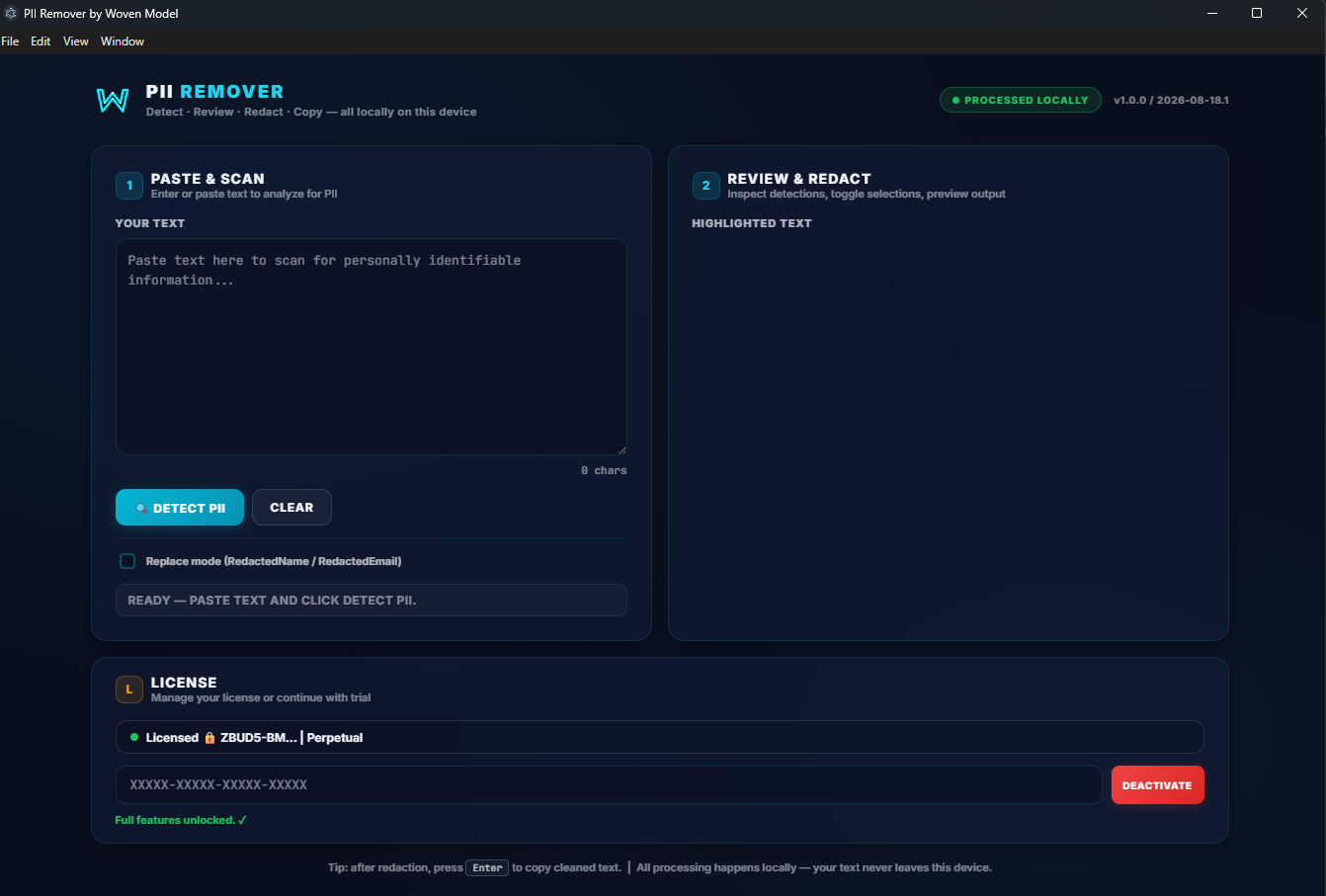
🔎 Main Interface
🔍 Detection Demo
✅ Redacted Output
📋 Redacted with Answers
📄 Example 1
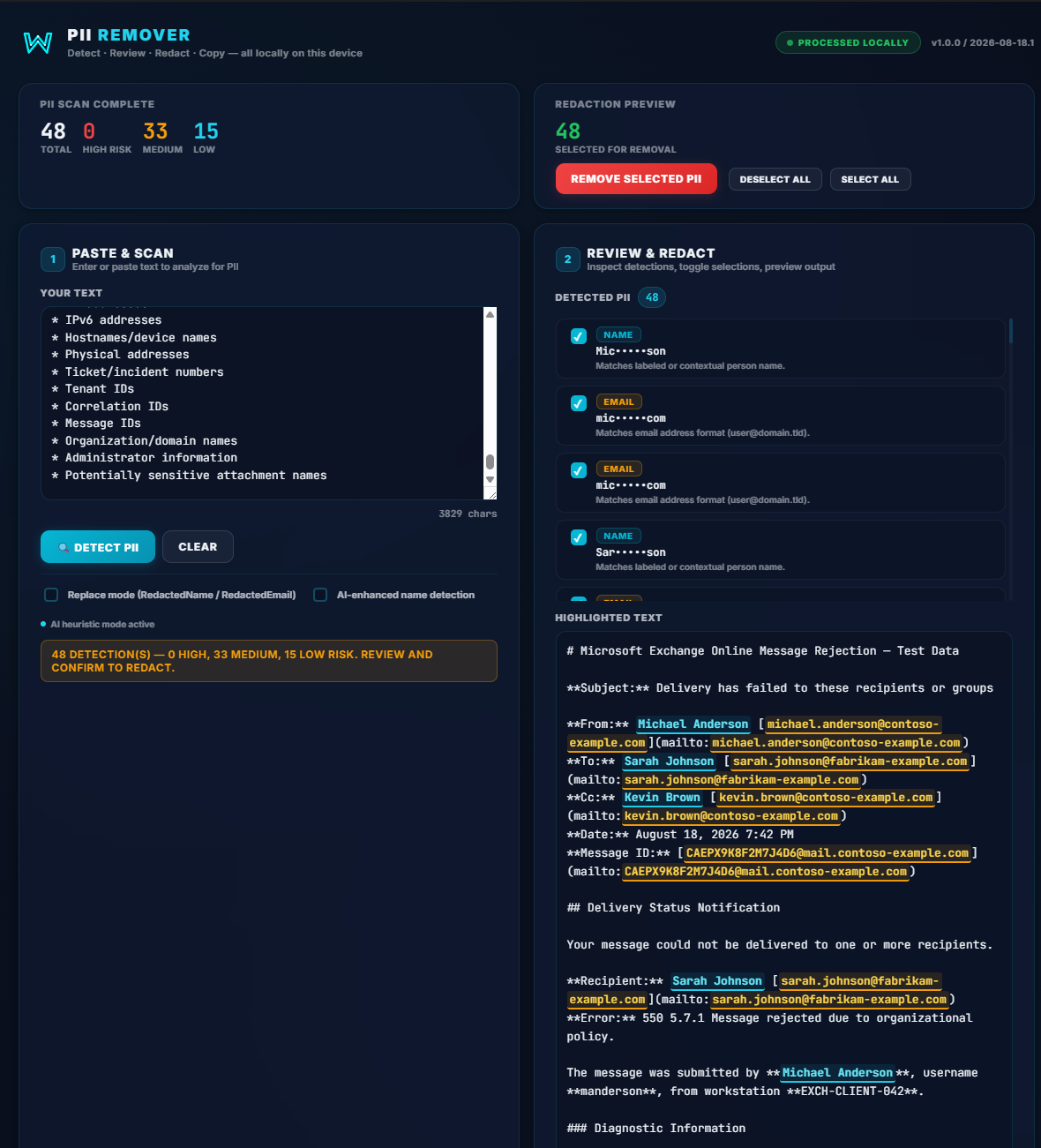
📄 Example 1 Results
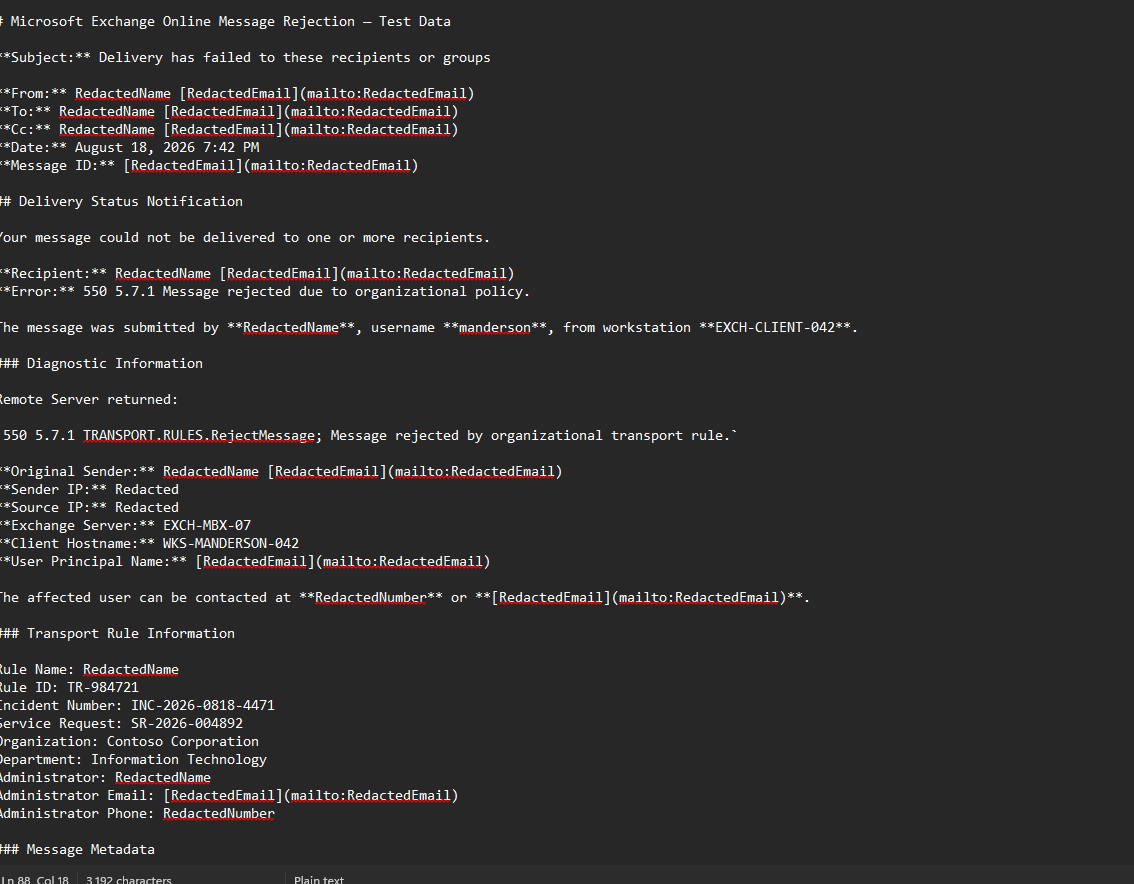
📄 Example 2
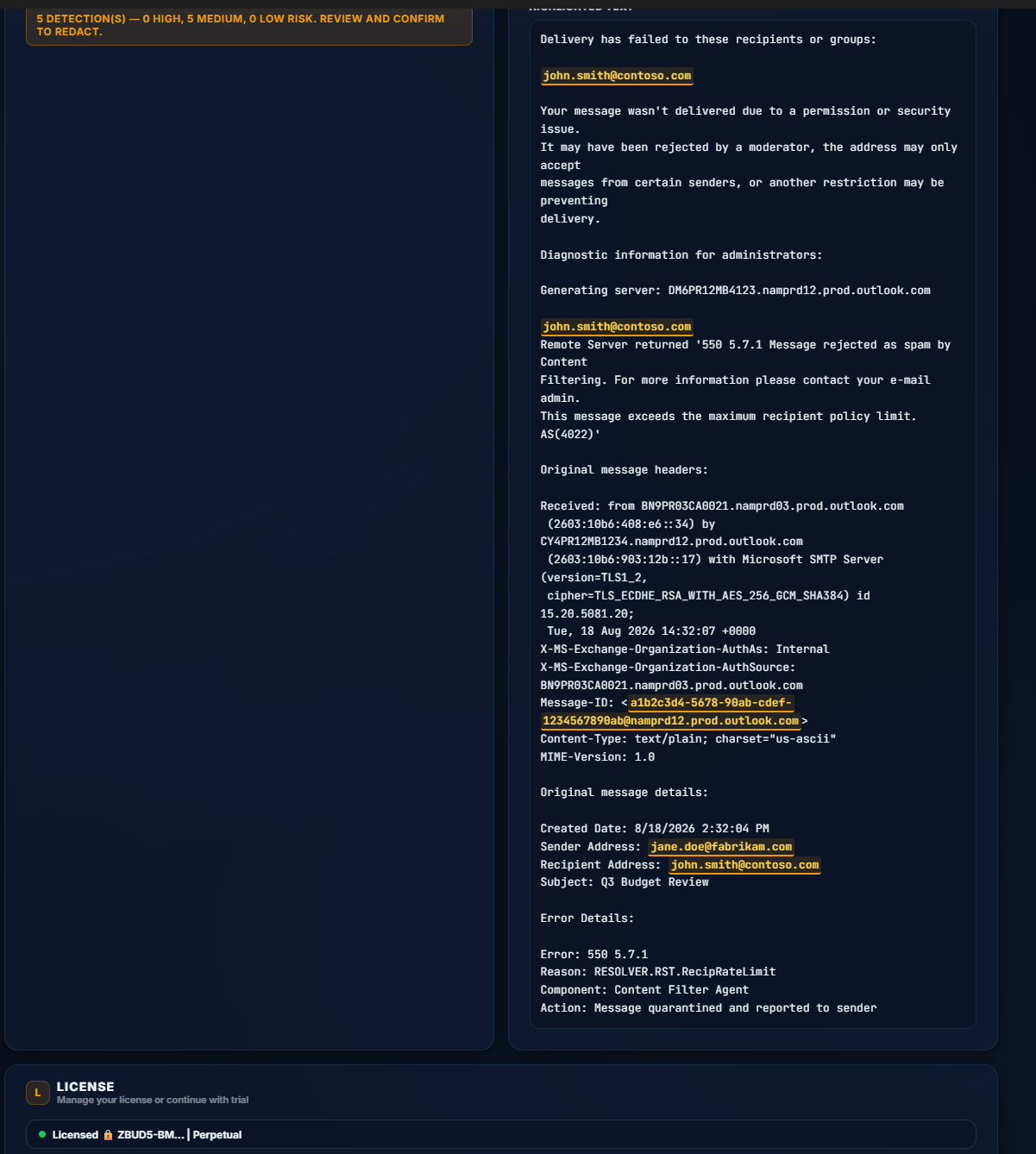
📄 Example 2 Results
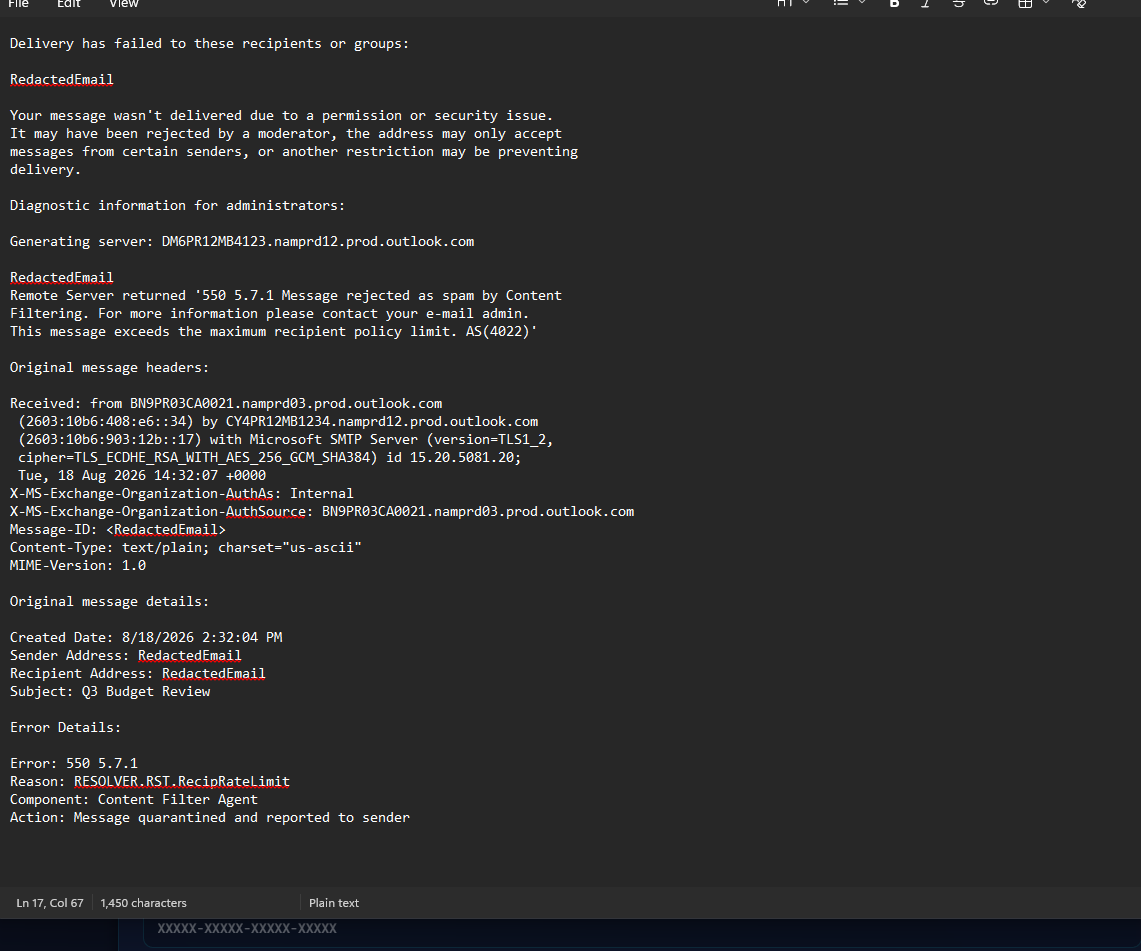
How to Use PII Remover
A step-by-step walkthrough of the complete detect, review, and redact workflow.
Paste or Enter Text
Paste your prompt, document, or any text containing potential sensitive data into the editor panel.
Click "Detect PII"
The app scans locally using regex patterns and heuristic name detection. All processing happens on-device — zero network calls.
Review the Security Summary
The Security Summary bar shows total detections with counts by risk level (High / Medium / Low). Each detection in the list shows a risk badge, masked value, and explanation.
Toggle Detections On/Off
Reject false positives before redaction. Use Select All / Deselect All for bulk operations, or toggle individual items. The highlighted text updates in real time.
Click "Remove Selected PII"
Confirm the prompt. The app redacts all confirmed selections and shows the cleaned output with an Original / Cleaned comparison toggle.
Copy Cleaned Text
Click "Copy Cleaned Text" or press Enter while the output is focused. The sanitized text is now safe to paste into AI prompts, documents, or workflows.
🔎 Highlighted Text
Risk-colored underlines appear directly in your text: red for high risk, amber for medium, cyan for low. See exactly what was found before you redact.
🔄 Live Summary Updates
Toggle a detection on/off and the Security Summary counts update instantly. The highlighted text also reflects the change in real time.
📄 Compare Toggle
After redaction, switch between Original and Cleaned views to verify that only the right data was removed. Nothing hidden, nothing unexpected.
System Requirements
Detection Engine
- • Regex-based pattern matching
- • Heuristic name detection (AI-enhanced)
- • Luhn-validated credit card check
- • Risk-level classification (3 tiers)
- • 11 PII categories
Windows Requirements
- • Windows 10 or later (64-bit)
- • Installer or portable — your choice
- • No internet required for PII detection
- • No additional software needed
- • Lightweight, runs locally on your device
What You Get
- • PII detection across 11 categories
- • Risk-level classification (high/medium/low)
- • Toggle-based review with highlighted preview
- • Original / Cleaned comparison view
- • One-click copy to clipboard
How to Get It
- • Setup installer (.exe)
- • Portable build (.exe)
- • License key activation
- • Trial mode built-in
Ready to Protect Your Prompts?
Woven Model PII Remover is available now. Get started with a trial — all features unlocked, including risk classification, toggle review, and the full redaction pipeline.
Windows only · Electron app · No internet required for detection · 100% local processing